Integrating messaging within ProRank's hiring pipelines

ProRank
2025
.webp)
MY ROLE
Lead Product Designer
TIMELINE
March ‘24 - May ‘25
COLLABORATORS
Product Manager, 2 Developers, CTO
THE PROBLEM
Using third-party SMS tools was disrupting the conversational flow between recruiters and candidates. It was also turning out to be expensive!
THE CHALLENGE
Building a messaging flow around ProRank’s existing recruitment pipeline to ensure seamless, personalized communication with candidates.
IMPACT
60%
increase in
engagement
Solution
Sneak Peek into Messaging @ ProRank
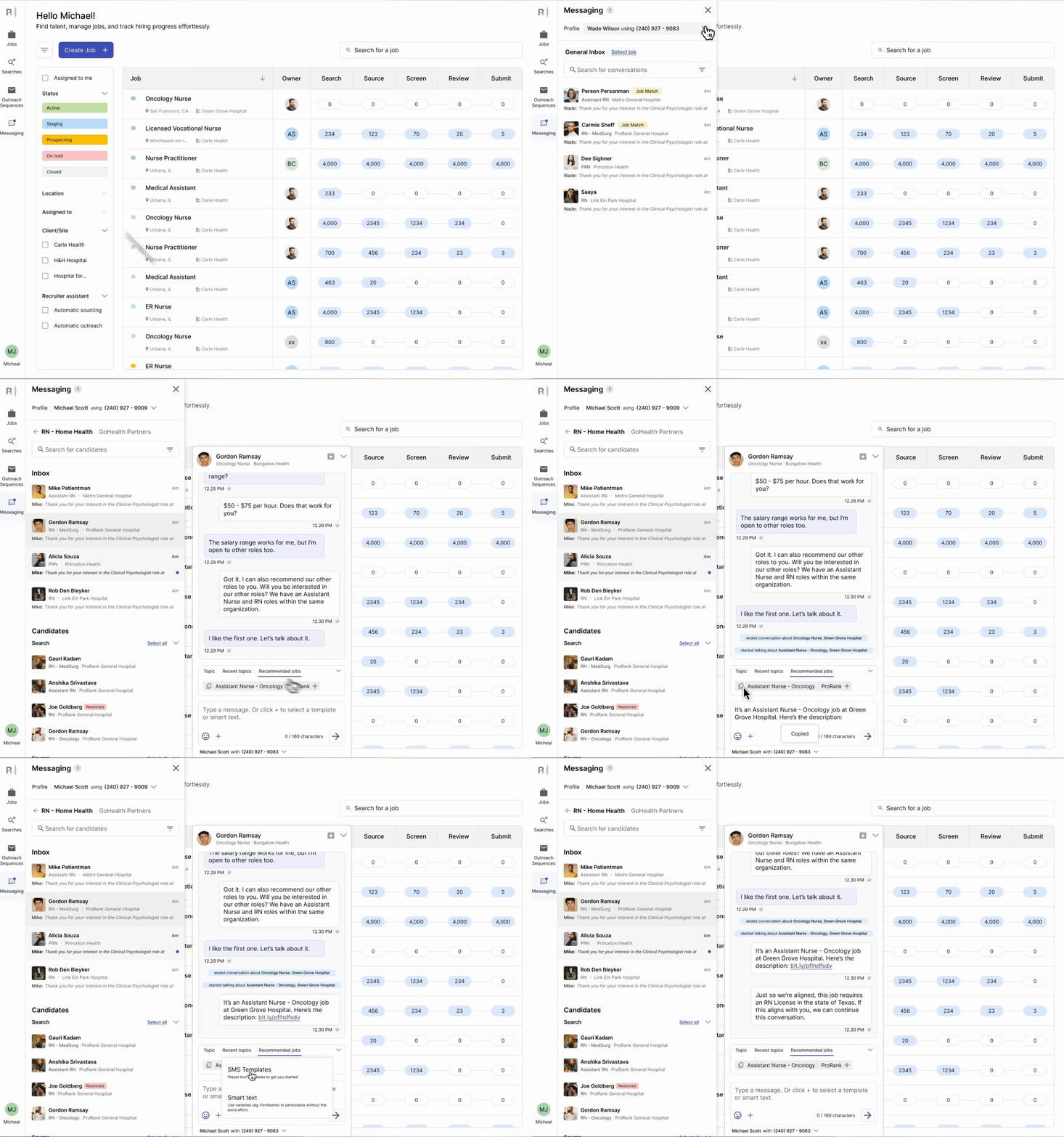
The messaging function within ProRank allows recruiters to send initial outreach to candidates via SMS, and then continue conversations as they move ahead in the pipeline.
The SMS is powered through AWS End User Messaging SMS, which allows ProRank's clients to register phone numbers that can be assigned to recruiters.
THE MVP
An integrated chat that allows recruiters to send and receive messages, construct rich content using templates and dynamic drag-and-drop variables, send bulk messages and allows recruiters to text on someone else's behalf.
ITERATION AFTER TESTING
Introducing features to organize conversations, prevent duplicates and recommend similar jobs
LIMITATIONS AND CONSTRAINTS
No read receipts, creating groups or adding media attachments.
ProRank’s recruitment pipeline (for context)

A recruiter moves candidates across stages when they interact with their profiles
Messaging means candidate moved from Source to Screen
The current outreach flow

OBSERVATIONS
-
Tab Switching: Copying information between windows is a repetitive task to ensure accuracy; Additional memory load.
-
Manual Tasks: Changing stage for ~50 candidates per job is tedious; Takes time away from other critical tasks
The
MVP
HYPOTHESIS
Allowing content personalization and reducing steps will increase outreach efficiency by making SMS content easier to construct and tailor
TEST METRICS
-
Messages Sent
-
Response times
-
Opt-out rates
-
Click Through Rates
FEATURE PRIORITIZATION
Based on a competitive audit, user requests, client feedback, and AWS and TCPA compliance requirements, the PM, CTO, and I outlined the full set of features.
Because the scope was large, we used a MoSCoW prioritization to determine what should go into the MVP.
Iteration 1: Basic messaging functions
Send, Receive, Emoji, SMS Templates
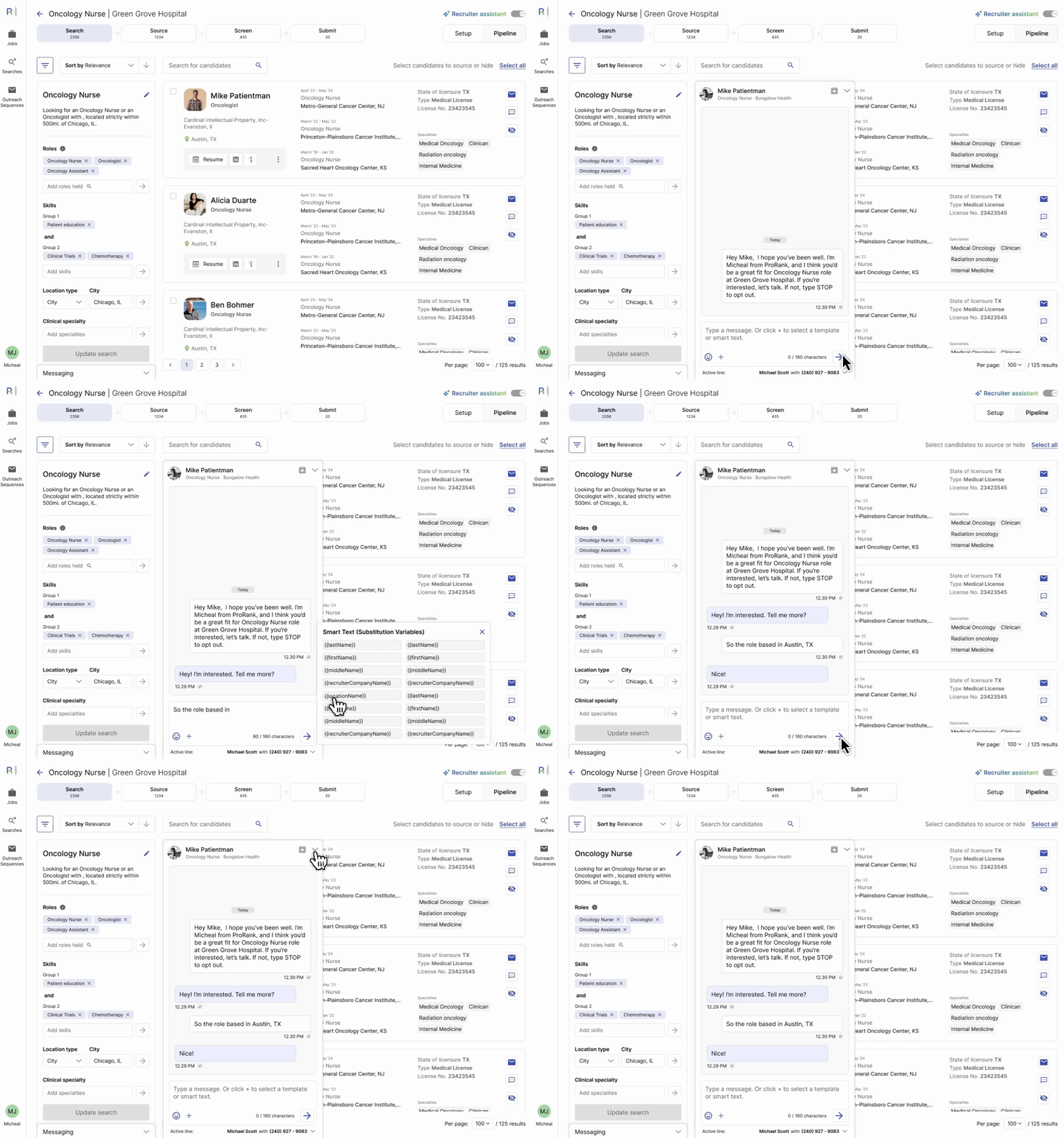
Variables that allow recruiters to drag-drop key information into chat for quick personalization

Feedback and learnings
SOME CANDIDATES WERE BEING TEXTED TWICE BY DIFFERENT RECRUITERS
The first iteration didn’t account for a candidate appearing in the pipelines for more than one job, which led to them being reached out by two different recruiters, which reduces trust.
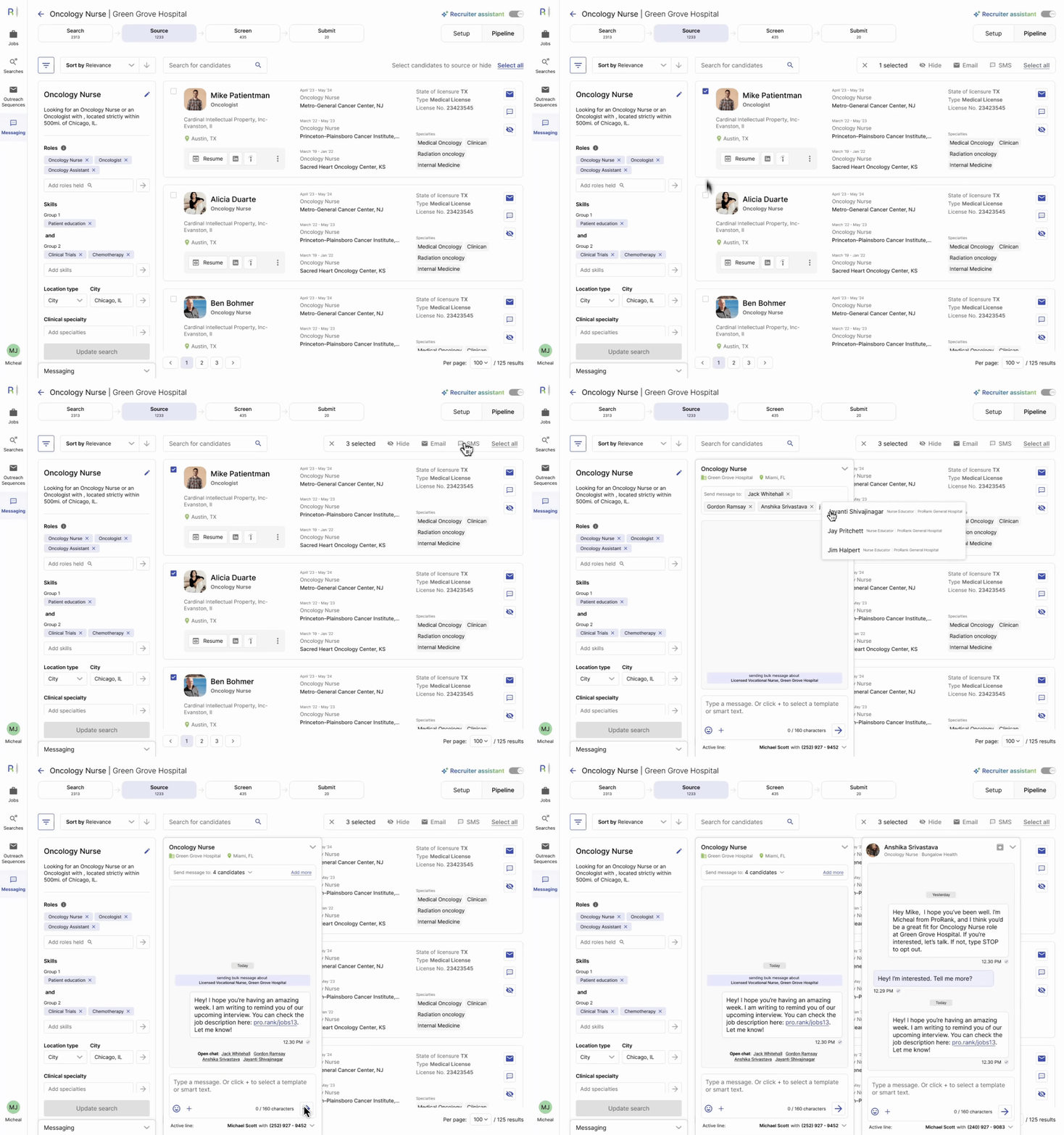
FEATURE REQUEST: ALLOWING BULK MESSAGING CANDIADATES
The user group requested an option to bulk-message selected candidates to speed up initial outreach.
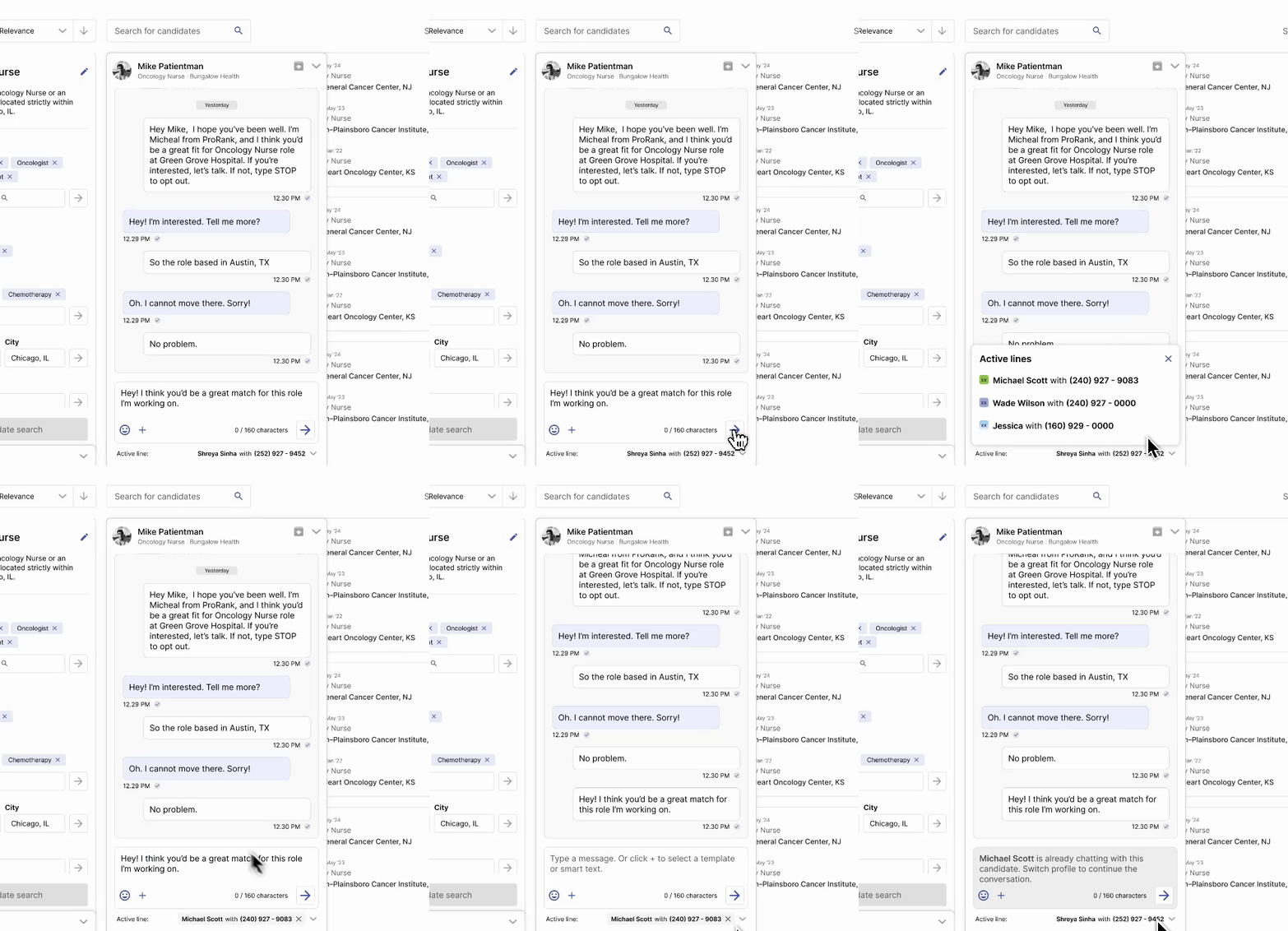
Iteration 2: Recruiter Personas and Bulk Messages
Allow recruiters to take on each other’s personas to avoid two recruiters messaging the same candidate, or messaging more than once for the same role. (TCPA rules)
Bulk messaging candidates. When a bulk message is sent, it doesn't create a group but adds that message to each individual's chat.
Feedback and learnings
VISUAL CLUTTER
The messaging panel overlapping with the already information-heavy interface overwhelmed some users. It sometimes hid key information, and could not be completely collapsed away.
INABILITY TO SEE OTHER RECRUITER’S CHATs
Because of the practice of profile switching among recruiters , they wanted full transparency on whether a candidate has been contacted before, and see the conversation history to assess future communication.
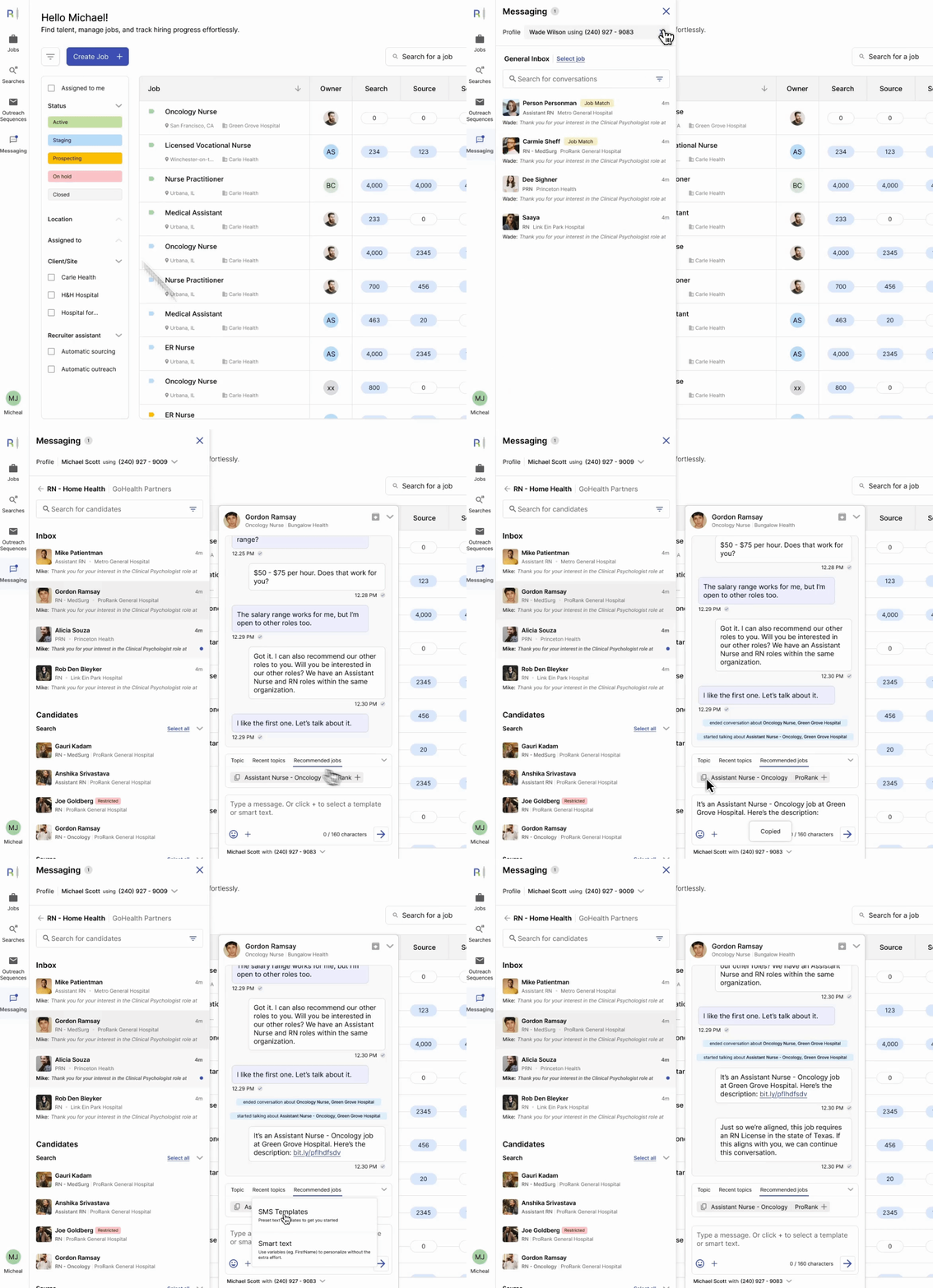
Final Product: Consolidated chat feature that allows conversations to run seamlessly between jobs and recruiters
Recommend new messages based on which other job a candidate is a match for
LEARNINGS
Mapping out complete user flows helps demystify a complex feature
When we started out, the feature seemed complex because of various rules and permissions that we needed to make it work. It’s really important to map out different error states, important information that needs visibility, and different conditionals to ensure we have an idea about what we’re building.
Dogfooding makes for quicker feedback for an early product
Our main feedback came from internal power users that used this feature to place candidates. It allowed me to gather feedback quickly, and answer any questions if needed.